Our thoughts and prayers go out to Senator Ted Kennedy and his family. He is a great man who has done many great things for our country, most notably fighting for the disabled and the uninsured. I've always admired him, and he's left an indelible mark on my life and my family.
When I was 10, my family was his guest at the Capitol. We were in D.C. visiting relatives and my Dad had called and made an appointment for us to visit with him. It wasn't long after his plane crash, and Ted was still on crutches and obviously in pain, but he took time to show us around the Capitol, and made a point to let us know that as his constituents we were always welcome to visit.
He took us into the Senate chambers and explained the proceedings to us as we watched. He made a huge impression on me as he told me how things worked and how important the work being done there was. It was a truly remarkable experience for me.
He influenced my wife in much the same way. She interviewed him as a teen reporter on the show "For Kids Only" on WBZ-TV with Bruce Schwoegler, and he made a lasting impression, sparking her interest in politics and government.
Later in life, when I was a reckless teen, Ted affected my life in a much larger way. I had been in a car accident out of state and suffered massive internal injuries. Truth be told, there wasn't a lot of hope for me.
I had graduated from high school, so I had come off of my father's insurance, but I wasn't gainfully employed and had no insurance of my own. My parents had gotten me flown back home in hopes of getting me into one of the major hospitals here in Boston, but with no insurance, that just wasn't happening. I ended up in New England Memorial in Stoneham, and within a couple of days the doctors there told my parents that there wasn't anything more they could do for me.
A friend of the family called Ted's office and explained the situation, and that same afternoon the State Police came and escorted me to the New England Baptist Hospital and delivered me into the care of one of the most amazing and talented liver surgeons in the country, Dr. Kenneth Warren. The rest, as they say, is history.
Without Ted's intervention, I wouldn't have made it. Children, grandchildren, none of that would have happened.
And who was I?
Just some constituent.
God bless you and your family Senator Kennedy. We know you'll fight the good fight, and we know you have the will and determination to beat this.
Tuesday, May 20, 2008


Monday, May 19, 2008
Cool Stuff From IOGEAR

I was reading a post on Engadget about a new networked USB device from IOGEAR, and in the process found out that they make all kinds of cool stuff.
Let's start with what drew me to their site in the first place, the USB Net ShareStation . It's a networked USB port. Plug it in to your router via it's 10/100mbps port, then plug any 1.1 or 2.0 USB device into it for network access. It will even support connection of a 4 port USB hub instead of just a single device and it supports multi-function printer sharing. I like the fact that it's a hardwired device. If your router has Wi-Fi you can use it from anywhere wirelessly, and yet still be hardwired when you're at your workstation for better throughput.
The next thing I stumbled across is their Portable Media Player. It's basically a 120GB portable hard drive with a USB input and Composite/Component RCA outputs, plus media player functionality. It supports a wide variety of media formats and it even comes with a remote. Too cool!
My favorite device by far though, is their 4 Port Automatic HDMI Switch. A 4 in 1 out auto sensing HDMI switch that also comes with a remote, just in case you have more than one device powered up and your butt is parked on the couch.
Check out their site, they've got a lot more cool stuff, from video extenders to a really slick Mobile Digital Scribe, an electronic pen that captures handwriting from any surface.
Sunday, May 18, 2008
Issues With Videos In PowerPoint During Projection
Okay, so you've got someone coming in to do a presentation, class or pep talk. They're bringing their material on their own laptop or media device of choice, and you want to have everything ready to rock.
You've got your room set up with an LCD projector, screen, PC and laptop video connection. Every thing's plumbed through a nice neat patch panel with USB inputs and connected to the in-room sound system. You're so golden, your tail's waggin'!
and then the guest arrives...
They plug in their laptop and things go well, until they get to a slide that calls out a video clip. On the screen, all you see is a black box where the video should be. Yikes, talk about a buzz kill.
On some machines, videos will play correctly in PowerPoint when using a single monitor, but will only show up as a black box when the system is driving both it's own monitor and an external one. The quick fix for this is to FN/F4 toggle your local screen off, then restart the video. A less crippling to the presenter, but slightly more time consuming fix, is to turn off video hardware acceleration.
Of course, the real solution is to update your video drivers or upgrade your ride, but these aren't going to help you in the here and now. Warning: DO NOT be the guy who starts updating stuff 2 minutes before, or worse, during, a presentation.
Here's a link to a great site for more in depth info on both the quick, and the correct, fixes: PPTools
You've got your room set up with an LCD projector, screen, PC and laptop video connection. Every thing's plumbed through a nice neat patch panel with USB inputs and connected to the in-room sound system. You're so golden, your tail's waggin'!
and then the guest arrives...
They plug in their laptop and things go well, until they get to a slide that calls out a video clip. On the screen, all you see is a black box where the video should be. Yikes, talk about a buzz kill.
On some machines, videos will play correctly in PowerPoint when using a single monitor, but will only show up as a black box when the system is driving both it's own monitor and an external one. The quick fix for this is to FN/F4 toggle your local screen off, then restart the video. A less crippling to the presenter, but slightly more time consuming fix, is to turn off video hardware acceleration.
Of course, the real solution is to update your video drivers or upgrade your ride, but these aren't going to help you in the here and now. Warning: DO NOT be the guy who starts updating stuff 2 minutes before, or worse, during, a presentation.
Here's a link to a great site for more in depth info on both the quick, and the correct, fixes: PPTools
Tuesday, May 13, 2008
Renaissance Boston Waterfront Hotel

I had the pleasure to stay at the new Renaissance Boston Waterfront Hotel last week and I give it two thumbs up.
We had been working with them since before they officially opened, planning a large 4 day symposium, and I can't say enough about the hotel and the staff.
The hotel is beautiful. Ultra modern with an ocean motif and gorgeous views, and it's equipped with the latest and greatest technology and a staff that knows how to use it.
Add in the great food, the incredible turn around time in the meeting spaces, and the luxurious rooms (HDTV's, iHome iH9's, and pillows to die for) and you can't go wrong.
Check it out for your next meeting, or even for a weekend getaway with your significant other. South Boston has a lot to offer these days, and it's only a block from the Bank of America Pavilion.
Saturday, May 3, 2008
Wi-Fi Security - Disabling SSID Broadcast

If you're using Wi-Fi in your home or business you should make sure you take the proper steps to safeguard your network and computers. While many people enable WEP and Authentication on their routers, it's just not enough.
There are always people scanning for available Wi-Fi networks (think about the last time you were on vacation, you were probably scanning for available networks yourself!), and if they can find yours and they're smart enough, they can break in. Here's a few simple tips to help you keep war drivers, and the neighbors, out.
First thing you want to do is change your router's admin password. Every manufacturer has a default password, and every unit they ship is configured with it, so when you're doing the router's initial setup, change it. While this won't keep interlopers from using your network, it will prevent them from getting into the router and changing it's settings.
The next thing you want to do is enable WEP and Authentication. This will encrypt your data and will only allow systems with the right "Key" to access the network. For more information on WEP and other security protocols you should visit the Wi-Fi Alliance web site. You can find a brief overview of WLANS and their recommended security practices here.
The last step is to change the SSID (Service Set Identifier) and turn off it's broadcast. This is the step many users miss.
The SSID is the name of your network, and just like the router's admin password, they all ship with the manufacturers default setting enabled. When you scan for available networks on your computer, it's the name you see pop up on the list. Usually you will see the manufacturers name, D-Link, Netgear or something similar. Sometimes you'll see something clever like jimsnetwork or maryjane. Don't do this. Not only are you making it easy for someone to figure out, you're also broadcasting your personal information to anyone with a Wi-Fi enabled device in your vicinity. I see routers in my neighborhood that are either set to the default SSID, or someones name, and they're unsecured. Don't be these people.
Change it to something random, like bLtzpHk8, and be sure to make a note of it and keep it somewhere safe, preferably with your router's documentation.
Next, you want to turn off SSID Broadcast. This setting is usually on the performance tab of the router's setup. Once you disable broadcast, people will see only the manufacturer's name when they scan, not the real SSID, and they won't be able to connect. You'll have to enter the correct SSID in your computer or phone's Wi-Fi setup to be able to see or connect to the router.
Simple but secure.
Sunday, April 27, 2008
Every Parent's Dream
 This weekend we had a party to celebrate our son's graduation and successful passing of his licensing exams. He worked hard and we're incredibly proud of him.
When we were planning the celebration we weren't sure what to expect for weather this early in the season. After a bleak and depressing winter that seemed like it was never gonna leave us, the nice weather we've experienced over the last week or so has been like a gift from the heavens, but this is New England and you just never know what spring might bring you, so we planned for an indoor affair.
To our pleasant surprise Saturday turned out to be a perfect day, and the festivities quickly moved outside and became our clan's first official backyard party of the 2008 season. It was great to get outside and sit in the brilliant sunshine, and even better to be with friends and family to celebrate a happy occasion for a change.
The best part of the day though, the part I'll hold onto years from now when I look back on that sunny day, was the smile on my son's face.
Watching him enjoy the day gave me such a good feeling. It was the highest of highs.
To see your children succeed and be happy is what every parent dreams of, and we've been truly blessed.
Monday, April 21, 2008
Lost Redux

It's ba-aack.
Lost is back in a new time slot (10pm EST) with all new episodes beginning this Thursday, April 24th, and I'm way more than ready.
Check out our preview of this week's episode "The Shape of Things to Come" in the Lost section over on www.berryjooks.com, then dust off your favorite seat, get comfy, and prepare to be sucked back in.
Lost is back in a new time slot (10pm EST) with all new episodes beginning this Thursday, April 24th, and I'm way more than ready.
Check out our preview of this week's episode "The Shape of Things to Come" in the Lost section over on www.berryjooks.com, then dust off your favorite seat, get comfy, and prepare to be sucked back in.
Friday, April 18, 2008
Papi Finally Paps!

Grand Slam!
Talk about a dramatic way to break out of a slump. Did you ever really doubt it was coming?
And how about those kids, huh? I think this is gonna be a fun season.
Full game recap on redsox.com
Talk about a dramatic way to break out of a slump. Did you ever really doubt it was coming?
And how about those kids, huh? I think this is gonna be a fun season.
Full game recap on redsox.com
Monday, April 14, 2008
An iTunes Mystery - Solved
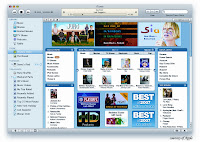 Back in November I did a post called An iTunes Mystery - The Case Of The Disappearing Cover Art . I think I can finally say that the case is closed, mystery solved.
I was having problems with artwork disappearing from iTunes, and consequently from my iPod the next time I synced.
I won't bore you again with all the details, but you can read them in the link to the original post above if your not one of my three dedicated readers. The bottom line is that once I unchecked “Automatically download missing album artwork” on the General Tab under Preferences, it stopped happening. Although it was an intermittent problem, it's now been 5 months since I changed it and I haven't lost any artwork.
Now remember, this worked for me on a specific platform (XP Pro/Windows Media Center 2005), and in a specific situation (the disappearing artwork was all added by hand to ripped music when iTunes couldn't find it). This solution also has one obvious drawback. While iTunes purchased music is still downloaded with cover art, once you uncheck the "automatically download missing album artwork" box, music you rip and then import into iTunes won't have cover art. I think this is the lesser of the two evils. I'd rather add cover art once when I import a song, then constantly have to re add random batches of artwork. It was an insidious problem because usually by the time I noticed it I had synced repeatedly and then I'd have to go back through the entire library looking for the newly naked tunes.
I finally decided enough time had passed to give you an update on this one plus I noticed recently that the search keywords that bring the most traffic to my site are variations on "Missing iTunes Artwork". I guess there are quite a few others out there who have shared my misery.
You know, I'm almost afraid to upload this, 'cause I know that as soon as I do...
Nah. Never happen.
Saturday, April 12, 2008
Swing batter, batter, batter, swing!
Good things come to those who wait.
After enduring a 2 hour rain delay, the Fenway Faithful were treated to an encore display of lightning as Jonathan Papelbon came in in the 8th with 2 on and 2 out and sat Alex Rodriguez down on 3 pitches. He came back out in the 9th and retired the side in order and the Red Sox held on to beat the Yankees 4 to 3.
Seeing the look on A-Rods face when Papelbon blew the heat by him for strike three was one of those moments you live for.
Full game recap on Redsox.com
After enduring a 2 hour rain delay, the Fenway Faithful were treated to an encore display of lightning as Jonathan Papelbon came in in the 8th with 2 on and 2 out and sat Alex Rodriguez down on 3 pitches. He came back out in the 9th and retired the side in order and the Red Sox held on to beat the Yankees 4 to 3.
Seeing the look on A-Rods face when Papelbon blew the heat by him for strike three was one of those moments you live for.
Full game recap on Redsox.com
Thursday, April 10, 2008
Minicom - Video over CAT5
 I've mentioned these babys before but I had occasion to play with them again this week and I was so pleased with the results that I thought they were worth mentioning again.
The Minicom AVDS system broadcasts audio and video over CAT5 twisted pair wire. They're a Godsend if you have a need to pump audio and video feeds around your business and you don't want to clutter your data network or run coax everywhere. They have a VGA input, 8 RJ45 outputs, a mini audio out and a VGA out for a local monitor. You can also cascade them, like you would with a switch or a hub.
I feed them from a PC with a tuner card and use the existing voice and data infrastructure to plumb the signal to anywhere I've got a voice or data jack (which is pretty much everywhere). On the receiving end, I use a standard Ethernet office cable plugged into a receiver unit, which in turn gets plugged in to a monitor via the VGA and mini out. Voila, TV feeds at the drop of a hat.
The specs on these units calls for CAT5 shielded wire, but I'm a risk taker, so I tried pumping them into my standard CAT5e unshielded wiring, and they worked fine. I'm pushing all eight outputs on one unit varying distances up to 300' and the picture is good enough to show on a 50" plasma. When the company slide show is running the clarity of the picture is unbelievable, and the results when I pump CNN to them is almost as good.
There's a more detailed writeup on how they can be integrated into existing building infrastructure on my website www.berryjooks.com. Go to the Tech Tips page and look for the Video over CAT5 article.
I also use a variation of this at home to send video from my Media Center PC to various TVs. There's a nice hi def version, the DS Vision, that delivers hi def video and stereo audio in the same manner. The biggest plus for me with this method of delivery is that I'm not clogging up my data pipes by streaming video through the switches. I don't care how good your network is, if you can segment out the video without going to great expense, that's huge. Check 'em out.
Wednesday, April 2, 2008
On Bob Lobel
Being a Boston sports fan and being roughly the same age as him, Bob Lobel has been a constant in my life for quite a while, and I'm going to miss him. I first heard him on 'BZ radio when I was in my twenties, and he graduated to sports anchor just as I was starting my family. I spent a lot of time rocking babies while he filled me in on the world of sports.
I'm gonna miss him most on Sunday nights, though. Boston is unique in it's local sports coverage, if you're a sports fan and do any travelling at all you find that out fast, and Sports Final has given us some of the finest local sports moments ever. The show where he brought Ted, Bobby and Larry together and just let them talk.., genius.
Another reason I'll miss him is that he actually responded to his audience. I have a local sports memorabilia collection, and unlike now when the Pats and Sox are on top of their respective heaps, it used to be quite a challenge obtaining some of it. One of my "things" (as my wife likes to call them), is my collection of local players football and baseball cards, and the biggest challenge has been my collection of Pats QB's cards back to the start of the franchise. Preferably rookie cards, and autographed when possible. I was stuck on Zolack. I couldn't find any records as to whether he even had one, so I emailed Bob and asked him if he would find out from Scott the year and manufacturer of his rookie card. He responded the same day and said that not only would he find out, he would be surprising Scott and other guests by flashing their rookie cards on camera.
I remember telling a coworker the Friday before the show that Bob was going to be showing Zo's card and he rolled his eyes and said "yuh, riiiggghhht." Monday morning he was in my office asking me how I knew him. To this day he still doesn't believe that I cold emailed him and he responded. "Your wife knows him, right? Your uncle? Come on, give it up!"
That's how you build an audience of loyal fans.
So yeah, I'm gonna miss him. Like all of us, the man has had his ups and downs, and although everyone has a right to their opinions, it's been a little disheartening to see some of the personal comments people have made today. Like the guy or not, why would anyone jeer a man as he moves on to another phase of his life? I don't get it.
Thanks for all the memories, Bob. I hope you can take some time off to enjoy life with your family and friends. Just don't be gone for too long...
I'm gonna miss him most on Sunday nights, though. Boston is unique in it's local sports coverage, if you're a sports fan and do any travelling at all you find that out fast, and Sports Final has given us some of the finest local sports moments ever. The show where he brought Ted, Bobby and Larry together and just let them talk.., genius.
Another reason I'll miss him is that he actually responded to his audience. I have a local sports memorabilia collection, and unlike now when the Pats and Sox are on top of their respective heaps, it used to be quite a challenge obtaining some of it. One of my "things" (as my wife likes to call them), is my collection of local players football and baseball cards, and the biggest challenge has been my collection of Pats QB's cards back to the start of the franchise. Preferably rookie cards, and autographed when possible. I was stuck on Zolack. I couldn't find any records as to whether he even had one, so I emailed Bob and asked him if he would find out from Scott the year and manufacturer of his rookie card. He responded the same day and said that not only would he find out, he would be surprising Scott and other guests by flashing their rookie cards on camera.
I remember telling a coworker the Friday before the show that Bob was going to be showing Zo's card and he rolled his eyes and said "yuh, riiiggghhht." Monday morning he was in my office asking me how I knew him. To this day he still doesn't believe that I cold emailed him and he responded. "Your wife knows him, right? Your uncle? Come on, give it up!"
That's how you build an audience of loyal fans.
So yeah, I'm gonna miss him. Like all of us, the man has had his ups and downs, and although everyone has a right to their opinions, it's been a little disheartening to see some of the personal comments people have made today. Like the guy or not, why would anyone jeer a man as he moves on to another phase of his life? I don't get it.
Thanks for all the memories, Bob. I hope you can take some time off to enjoy life with your family and friends. Just don't be gone for too long...
Subscribe to:
Posts (Atom)